Persistence for Android
ADHD todo list & journal app for Android
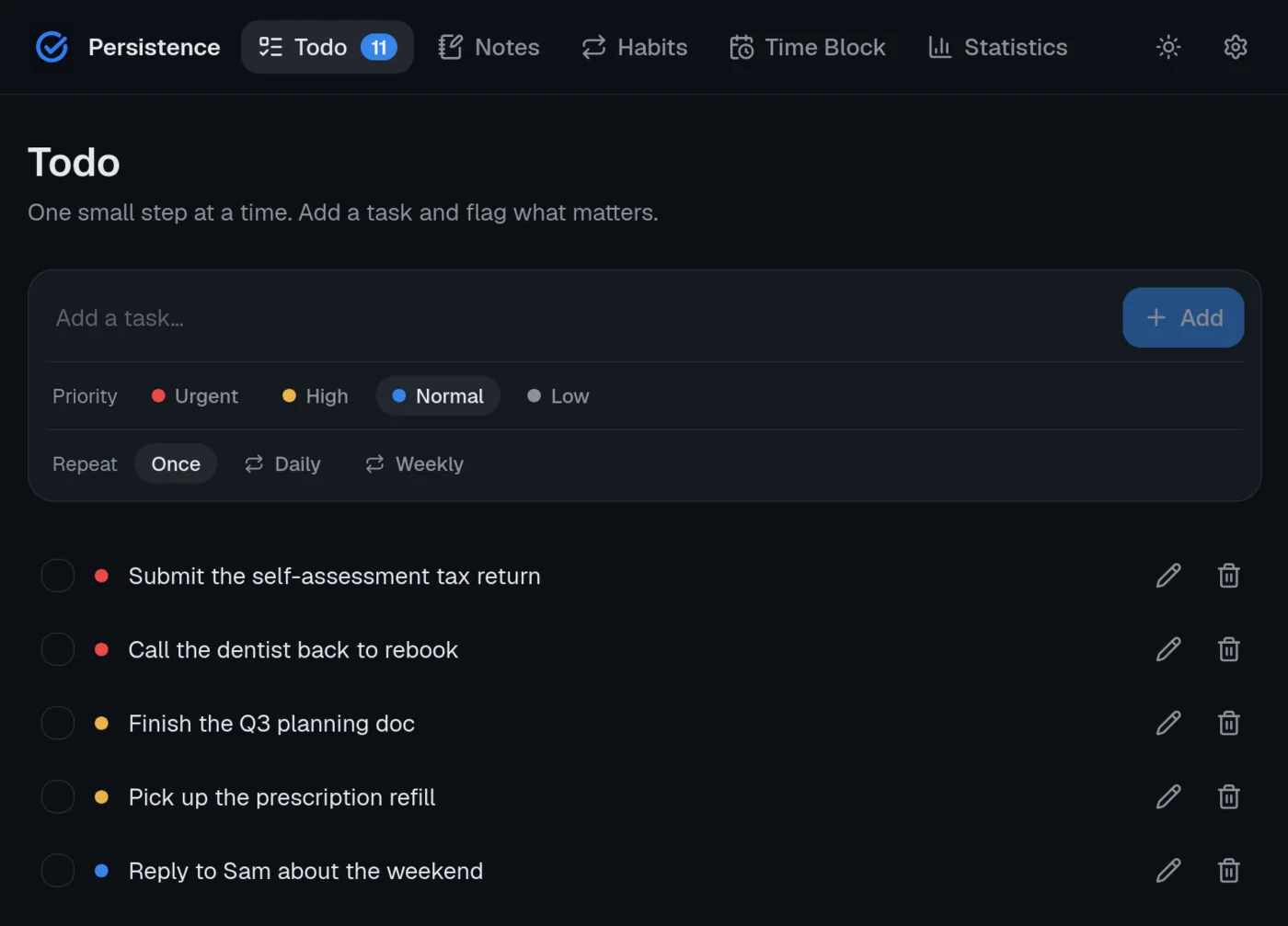
Persistence for Android puts one-keystroke task capture, a one-line journal, forgiving habits and your day's time blocks in your pocket, syncing with the desktop and web apps.
APK · arm64 · sideload install · version 0.1.8
Install Persistence on Android
- Download the APK (arm64) to your phone.
- Open it. Android will ask you to allow installs from your browser or file manager the first time — that's the standard sideload prompt.
- Launch Persistence and sign in.
The APK is signed and published on GitHub releases. A Google Play listing is planned.
What you get on Android
The same calm, ADHD-first app on every platform.
- Todo — one-keystroke capture, priorities and repeating tasks without a setup ritual.
- Notes — a micro-journal: one line, a mood tag, done.
- Habits — gentle streaks that survive a missed day.
- Time Block — drag tasks and habits onto a 15-minute-grid daily planner.
- Statistics — quiet charts of tasks, habits and mood over time.
- Sync — the Android app, the web app and every other platform share one account.
- No telemetry — nothing in the Android build phones home. Read the privacy page.
Android FAQ
- Is Persistence on Google Play?
- Not yet — install the APK directly for now. A Play Store listing is on the roadmap.
- Does the Android app sync with desktop?
- Yes. Tasks, notes, habits and time blocks sync between Android, the web app and the macOS, Windows and Linux apps whenever you're online.
- Does my data sync between devices?
- Yes. Everything syncs through one account across web, desktop and Android.
- Are the desktop apps free?
- Yes. All apps are free to download. The Free plan covers up to 7 tasks, notes and habits; Premium lifts the limits on every platform.
Also available on
Try Persistence free.
Up to 7 tasks, notes and habits at no cost — no card, no tracking. Upgrade to Premium only if you outgrow it.